A shared expense group is a small circle of trust. Someone pays for dinner, someone else covers the taxi, and by the end of the week the running total has passed through several hands. The awkward part is rarely the arithmetic. It is deciding who gets to see the figures, who can change them, and who is simply along for the ride.
Shared expense privacy is about drawing those lines clearly and without ceremony. In DueCircle, every group carries four roles and a firm boundary around its data. Once you understand what each role can do, you can hand out exactly the right level of access, and nobody has to wonder whether they are seeing the whole picture or only part of it.
The four roles, from owner to view-only
A group has one owner and can have several people beneath them, each with a defined reach. The roles are deliberately few, because a permission model nobody can remember is a permission model nobody uses.
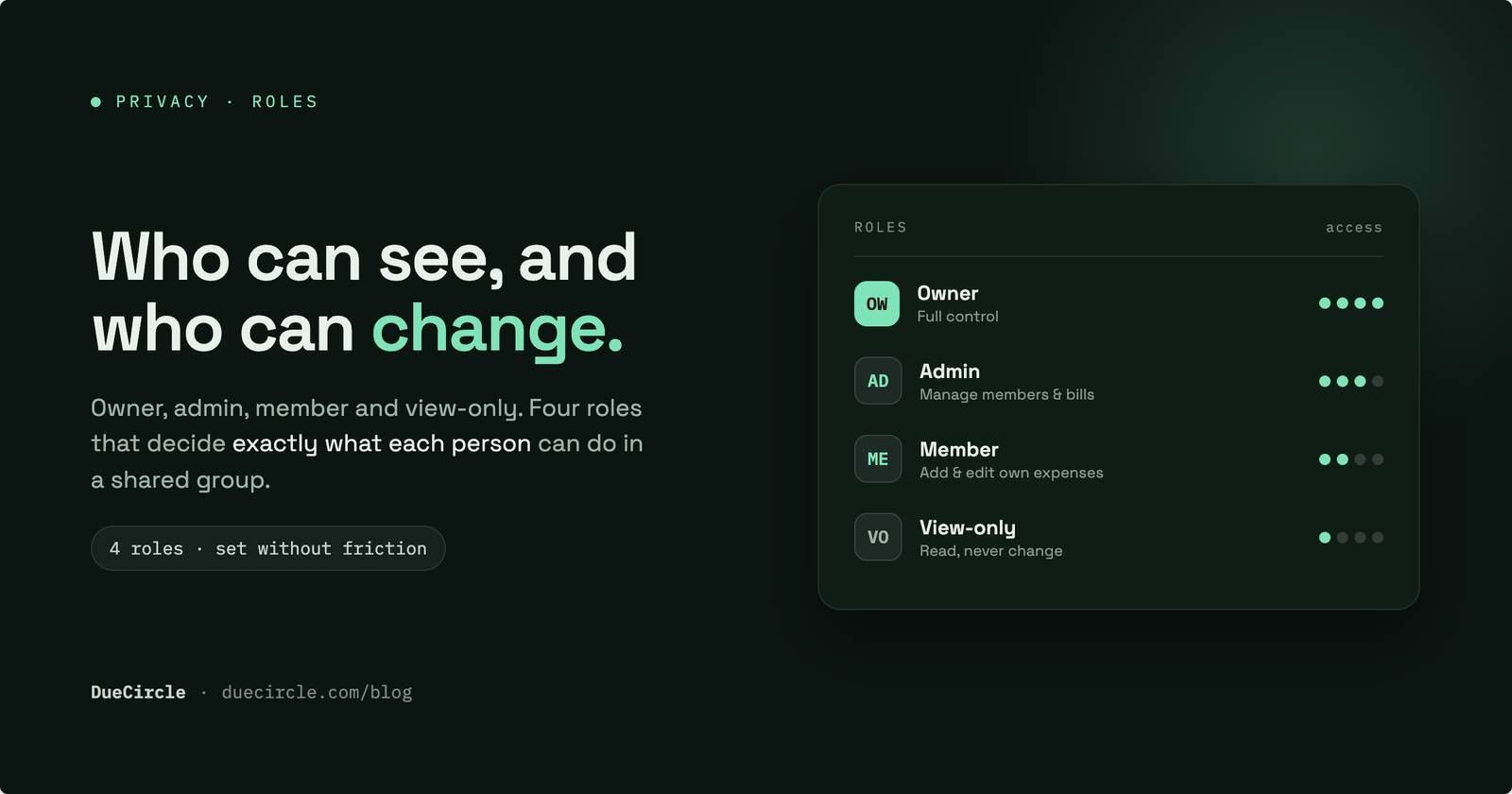
The owner sets up the group and decides what everyone else can see. Admins share most of that authority: they help run the group day to day. Members take part fully in the money side, adding and settling expenses. View-only participants see what the owner allows and change nothing at all.
- Owner: creates the group, sets visibility, manages roles, and holds final say over what members can see.
- Admin: trusted deputy who can manage members, adjust the group, and edit any expense.
- Member: a full participant who can add and remove expenses, record what they paid, and settle up.
- View-only: present in the group and able to follow along, but unable to add, edit or remove anything.
Who can add, and who can edit
Adding and editing are treated as two different acts, because they carry different weight. Any member can add an expense, and any member can remove one, since the group works best when nobody has to wait on a single person to record what they spent. Adding and removing members follows the same spirit: any member can propose it, subject to approval.
Editing an existing expense is narrower. Only the person who created that expense, or an admin, can change it. This keeps the record honest. The figure you entered on Tuesday cannot be quietly rewritten by someone else on Thursday, and if a correction is genuinely needed, it comes from you or from an admin acting openly.
The effect is a ledger that stays fluid where it should and firm where it matters. Everyone can contribute; not everyone can reach into another person's entry and alter it.
Every group stands alone
The second half of shared expense privacy is isolation. Every expense, note, budget and balance belongs to exactly one group and never crosses into another. The flat you share with two friends and the road trip you took with four colleagues are separate worlds, even though you sit in both.
This matters more than it first appears. A person you added to your holiday group sees the holiday, and only the holiday. They gain no window into your household budget, your family group, or anything else you happen to run. Membership is scoped tightly, so adding someone is never an accidental invitation to the rest of your financial life.
Because a private expense group is sealed in this way, you can be generous with access inside it without worrying about leakage beyond it. Trust granted here stays here.
Roles in real life
The roles earn their keep in ordinary situations. Consider a parent tracking shared costs with a teenager. Give the teen member access while they are learning to contribute and log their own spending, or keep them view-only at first so they can see how a household budget behaves before they touch it.
An accountant is a natural fit for view-only. They need to read the group, reconcile it and report on it, but they are not a participant and should not be able to alter entries. View-only access gives them a clear window and nothing more.
Then there is the traveller who is on the trip but not paying, perhaps a friend who was invited along or a relative whose costs someone else is covering. They belong in the group so they can follow the plan and the totals, yet they have no reason to add or change expenses. View-only keeps them included without cluttering the ledger.
Keeping sensitive notes to the right eyes
Not everything in a group is a number. Notes carry context: why a cost was split unevenly, what a repayment is really for, a reminder that touches on someone's circumstances. Some of that is fine for everyone; some of it is not.
Notes can be restricted so that only admins, or only named people, can read them. A note about a delicate arrangement between two members need not be visible to the whole group. You decide the audience when the matter calls for discretion.
This lets a group stay open by default and private by exception. The running total is shared freely, while the sensitive aside sits behind a smaller door.
Setting roles without it feeling like distrust
The worry people voice most often is social, not technical. Assigning roles can feel like ranking your friends. It helps to frame it the other way around: roles are about matching access to involvement, so that nobody is handed responsibility they did not ask for.
View-only is a courtesy as much as a control. It tells the accountant, the tagalong traveller or the cautious teenager that they are welcome to watch and are not on the hook for the books. Member says the opposite, plainly: you are in, please add what you spend. Admin is simply an acknowledgement that one or two people are doing the organising.
Lean on the defaults, keep the admin circle small, and revisit roles only when someone's involvement genuinely changes. Set up this way, permissions fade into the background. The group gets on with splitting the bill, and the question of who can see and change what is already answered.
Published 27 June 2026.